Monday, July 25, 2011

June 2011 Scratch Techie Camp

Before
It came together very fast, but it worked out well.
Wed. Asked if I could teach the next week 
Sat. fly  in + continue to learn Scratch+ final orientation
Mon-Fri Teach Scratch Techie Camp (Tech Corps Texas)


Camp Week
Camp consisted of inner city (8-12) kids (ages 8-13), some encouraged by their parents wanting something better and some there because of the free lunch. The kids reaction to Scratch sold me. Some were obviously at the top of their class and others obviously not, but none had problems using Scratch. Give them an inch and they created a mile. We joked they never did what they were told. They expanded all exercises and Scratch cards into something more, without help. Something that was theirs, never exactly like what they were told to do.


By the end of the first day they used features to create short animated stories with effects and expanded on this the second day. The third day was a game using broadcast / receive. However due an all day storm Wed. some were missing and electricity went off at least 7 times. So the fourth day was mixture of catching some up and helping them chose project ideas.  


The projects were mostly dress up games or stories. One made the shark scratch card in to a game with more fish and scoring.  The Dress up games varied...Some dressed themselves up on stage, others included a baby and other characters with themselves in a room.  Some had closet of clothes click on your dress of choice approach, and some changed colors of the clothes via a buttons. (no pictures since the children appear also in the stories)


After Camp
The day after camp, some kids were back in lab continuing on their projects. 
Scratch spurred me on to explore. Besides exploring the best ways to use Scratch, I found other puzzle GUI tools: Enchanting, BYOB, Android App Inventor. The following mind map shows I came full circle to my robotic related tools / projects.

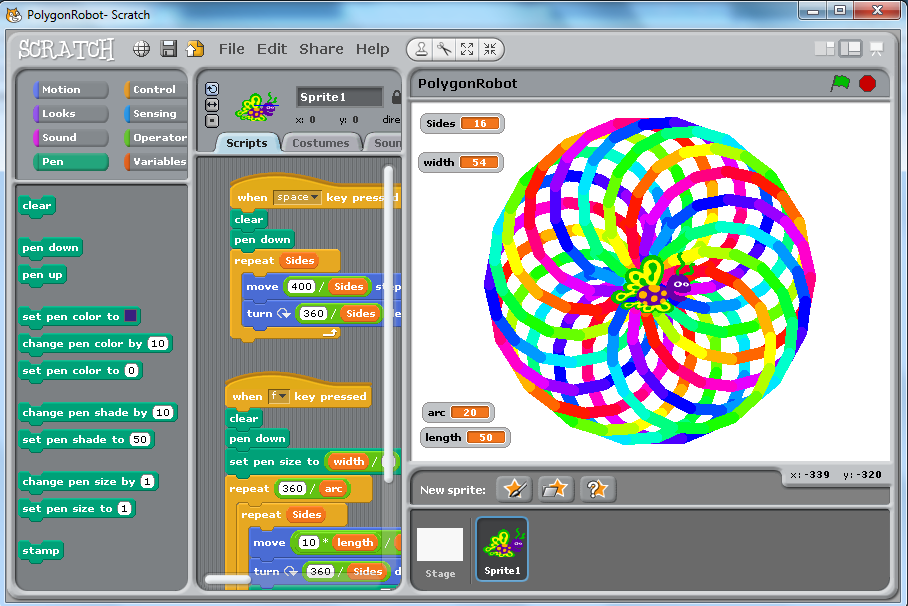
modified and optimized polygon robot
Notes:
Modified/optimized (left) and polygon robot (original) 


Listening to Scratch 2011 Education Webinars helped me find references to explain project based learning uses the Constructivism learning theory and how it works with Scratch.

    Curious 
  • Language levels vs. pallets/blocks - do they fit together?
  • Could BYOB be seen as the advanced language version of Scratch?
  • Alice, 3D story-telling vs. Scratch 2D story telling.

Wednesday, December 15, 2010

Robotics

Enjoying learning more and more about robotics in general via a variety of robots used in education
  • Lego Mindstorms (LMS) 
    • Training: Dec.08-Jan09 Education class at Vienna University of Technology (TU Wien)
    • NXT-G 
      • the graphic language from Lego and National Instruments
    • Lejos  
      • Java on LMS
    • LMS forte  
      • helping develop HW Function Blocks and will develop online tutorial classes
  • KIPR KISS Botball
    • Training: Introduction seminar by Dr. D. Miller (OU)  at (TU Wien)
    • Racket on Botball (side project in progress)
  • BeeBots
    • K-5 via K.North at Piney Point Elem. Houston, TX
    • Like Turtle graphics, but also good for spelling bees
  • Parallax Robots
    • Since RIE2010 on wishlist to learn
      • good to learn basic electronics
      • excellent on-line documentation
      • have a parallel processor

Saturday, September 18, 2010

Sept. 2010 RIE 2010 Article

Utilizing Lego Mindstorms as a Teaching Platform for Industrial Automation 
(C.Oates, A.Zoitl)

  • Presented at Robots in Education 2010 in Bratislava
  • Also chosen for the journal AT&P Plus 2/2010 with selected papers from the conference
Presentation
Demo Videos


RIE 2010 itself
  • Conferences are for networking.
  • Robots from small Parallax Robots to teach electronics to the large ABB Robot arm were presented.
  • Besides experiences teaching, students presented self-made robots, robot arms / cranes to ant like robots. The last day there was contest to see how outdoor robots performed outdoor tasks and travel.

Friday, September 10, 2010

Video Summary

Better videos have been uploaded to YouTube here.

Balancing Segway (NXT-G) with color sensor

  • Example of PID controller with Lego Mindstorms (LMS)
    • Used with Elementary school students
First demos of Lego Mindstorms with IEC61499 and 4DIAC/forte

Balancing Segway (NXT-G) with color sensor

  • Example of PID controller with Lego Mindstorms (LMS)
    • Used with Elementary school students
Videos used in an e-Bible course used in Austrian prison e-course system Telefi

Lego Sock Sorter

  • my first Lego project (team of 3)


Sunday, November 1, 2009

Nov. 2009 Hurricane Math

Hurricane Math is final project from Technology in Math. It explores curiosity questions I had after watching Hurricane Katrina, waiting for Hurricane Rita, and watching Ike live via Internet from Austria. 


It is a collection of assignments to be used as a resource when hurricanes are in the news.
It is meant to go beyond typical assignment of- Plot the hurricane track to evaluate the hurricane track. (pre-calculus or calculus)
It main assignment asks the question: 
Are there really more hurricanes now than previously? via statistics.What statistical model do hurricanes fit.
It also looks at How good was the hurricane response given how hard hurricanes are to predict.
And the form of the hurricane spiral. There are additional smaller assignments, whose main purpose is to get students to ask their own curiosity questions.


It requires a spreadsheet tool such as MS Excel or Open Office Calc.
Its main assignment is appropriate for a statistics class, but has other exercises exploring hurricanes mathematically. 


Excerpt from Original email when turned assignment:
It is a collection of exercises.
Start with: HurricaneMath0GoalsOverview.pdf

It was developed with Open Office Calc (Linux), but was briefly tested with Excel (Windows).
Please let me know you have received this.

Most useful new trick I learned this semester was: Putting a graph on top of a picture.

Thursday, October 1, 2009

Sept. 2009 CAD-3D Robot

CAD-3d Nano
CAD-3D is an important tool for teaching 3D Geometry concepts. An object can be build using basic 3D objects like an sphere, cylinder, eclipsiod and boxes together with the operations union, intersection and difference  Then objects can be copied, rotated, mirrored and/or shifted. Our end project was to create something like a bridge, building, tractor, device, table setting or whatever we chose to model.


My model was a soccer playing robot named Nano from Aldebaren. Both my universities were in the finals. 
It was UT Austin vs. TU Wien (Vienna University of Technology)

Thursday, February 12, 2009

Feb. 2009 Greenfoot Java Book review

It was fun reviewing Greenfoot book and exercises, which use Greenfoot to teach programming via games. The environment is set-up, so it teaching good object-oriented programming incrementally and by example. The tool itself is clean code.


For an idea of what is in the book see the scenarios.